Introducing ParentSquare Pay
Posted Date: 03/06/26 (03:20 PM)
Good evening, families,
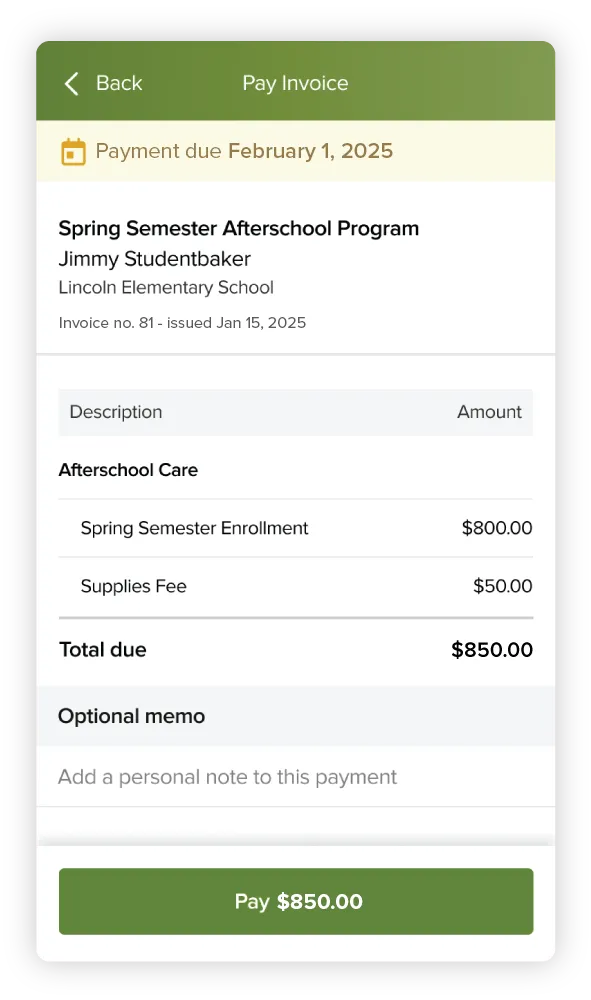
I wanted to introduce a new service we are offering through ParentSquare called ParentSquare Pay. ParentSquare Pay allows you to make payments for a variety of school-related activities with all major credit cards, as well as Apple and Google Pay. Right now, though, we are only accepting ParentSquare Pay for technology-related items.
Over the next few days and weeks, you may receive a request to pay for a technology-related item as we transition from our old paper-based system to ParentSquare Pay. To make a payment using ParentSquare Pay, we recommend using the ParentSquare App, but you can also log in and pay through the ParentSquare website or via a request link in an email or text from ParentSquare.
All transactions are handled securely through Stripe, one of the largest payment processors in the world.
Most families will never receive a payment request for a technology-related item, but we wanted you to be aware of this new feature of ParentSquare. More information on ParentSquare Pay is available below, and on the ParentSquare Blog.
Need help with ParentSquare? Email parentsquare-help@millburyschools.org.
Thank you,
PARENTSQUARE - SIMPLIFYING PAYMENTS
Introducing ParentSquare Pay for Technology Payments
We are excited to announce that our district is now using ParentSquare Pay to streamline how you handle technology-related costs. You can now manage repair costs directly within the ParentSquare app.
Why use ParentSquare Pay?
- One App: No need for third-party websites or extra login credentials.
- Secure & Fast: Pay safely using Apple Pay, Google Pay, or major credit cards.
- Digital Records: Instantly view payment history and receipts in your account.
- Stay Notified: Receive invoices and reminders directly via text or email.